
If you’re the type of player that wants full control over everything that happens to your sims, you may want to disable burglars entirely from your game.
If that’s what you want, there are a few easy steps that you can take starting with opening up the game options.
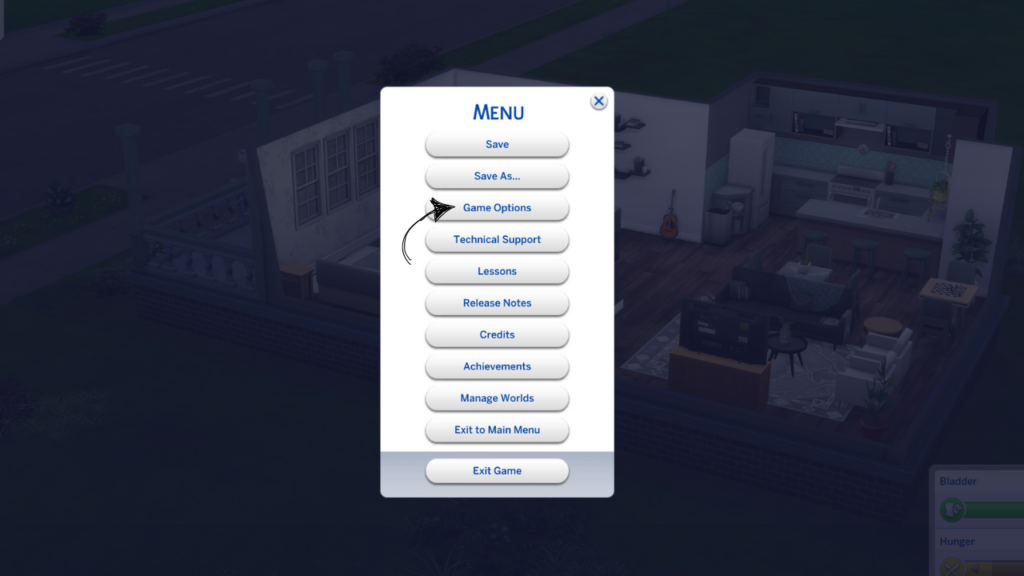
When the game options page opens you’ll see a lot of categories on the left hand side. You’re looking for the gameplay category where you’ll find all sorts of toggles.
Scroll down until you find allow burglar visits and uncheck that box. Make sure you click apply changes so your save file will save these settings.
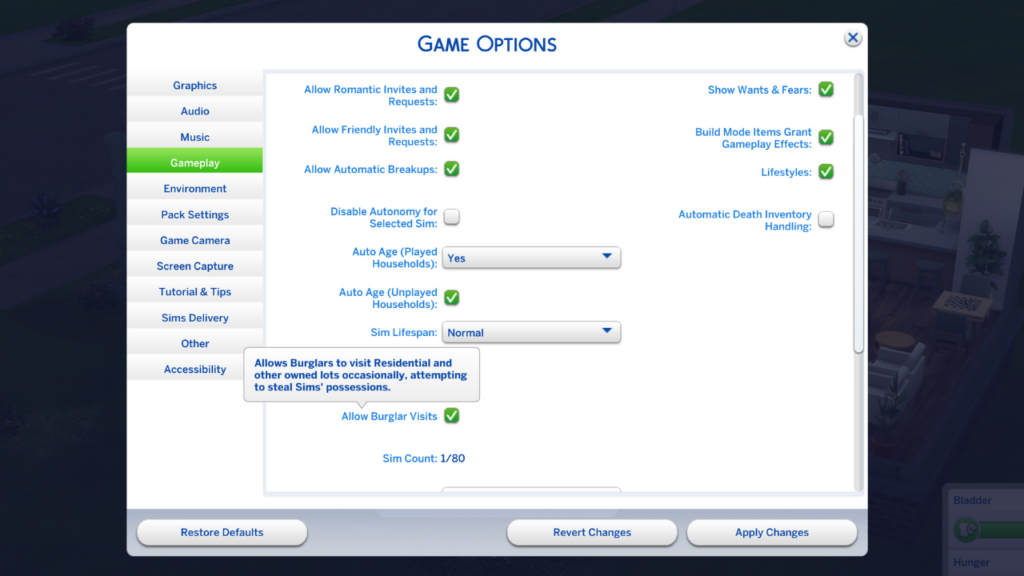
Now that you’ve applied your changes burglars will no longer torment your sims!